1.5
How to practise pronunciation
Speaking is the hardest part of learning a language, because usually nobody tells you how you sound. Taalhammer does: in Learn it scores your pronunciation sentence by sentence and shows you which words to work on.
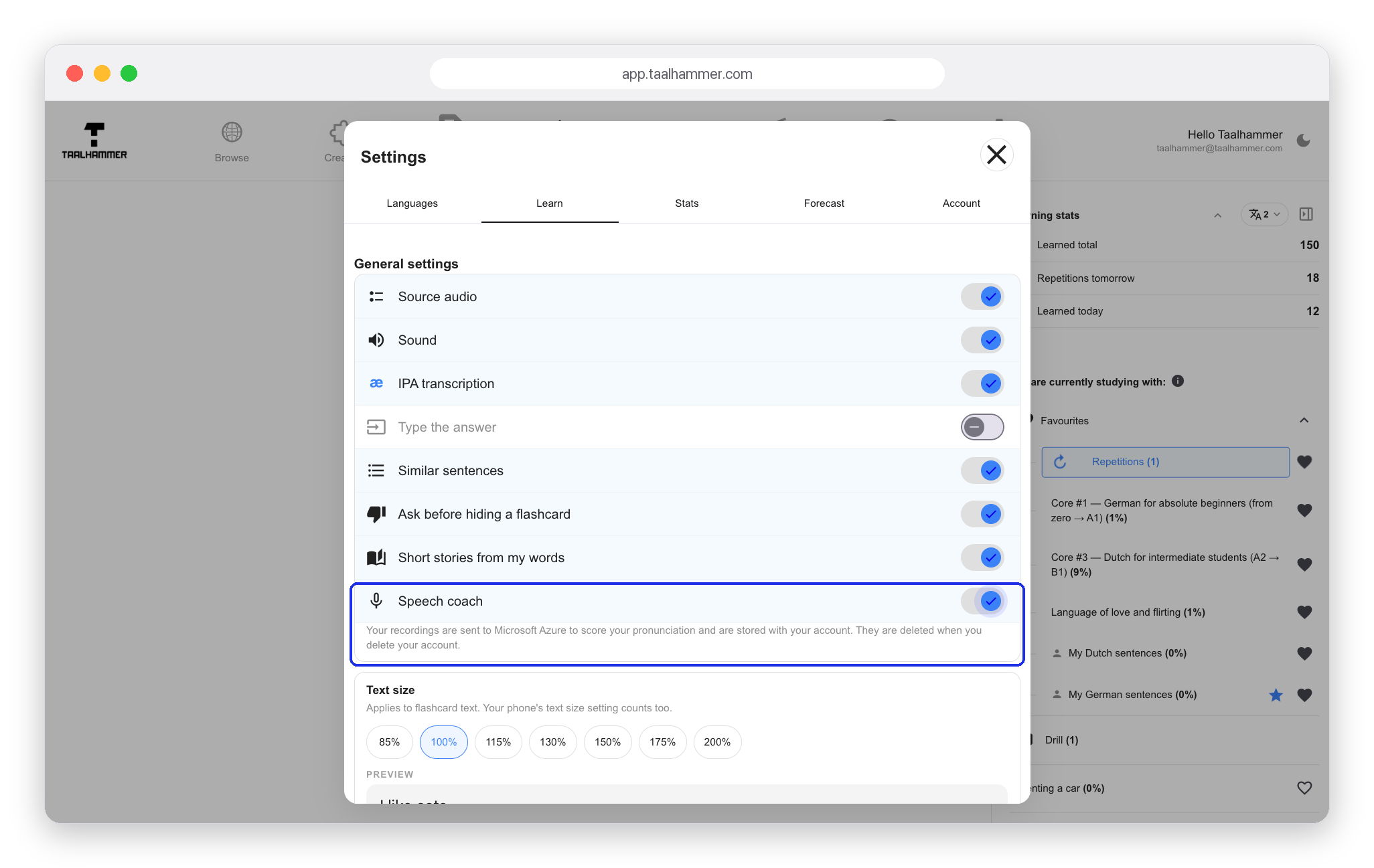
First switch on Speech coach in the Learn settings. The line under the switch says where your recording goes: it is scored by Microsoft Azure. Once the coach is on, a blue microphone appears on the card.

Hold the microphone and say the sentence in the language you are learning, then let go. The app needs a few seconds to analyse the recording. Then it shows a score from 0 to 100 and a verdict such as Keep practising. Words you said less clearly are highlighted, and under You said you can read what the app heard.
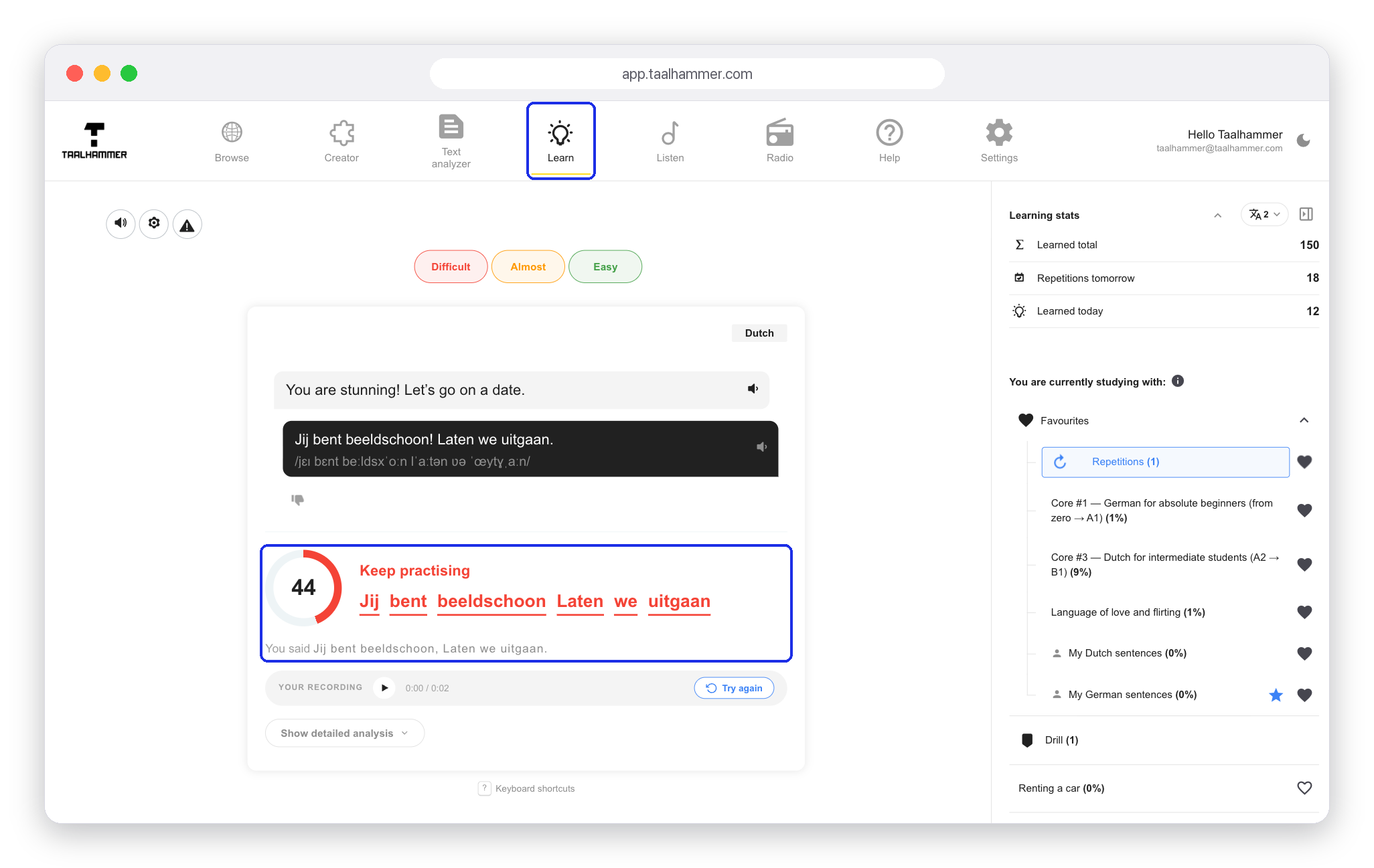

Click Show detailed analysis to see a separate score for every word, so you know exactly where your pronunciation differs from the model. You can play back Your recording, then click Try again, hold the microphone and say the sentence more clearly. With better pronunciation the score goes up and the words turn green.


Saying a few sentences out loud in every session makes a big difference. Pronunciation scoring works on your computer and on your phone.