6.5
How to edit a flashcard's text (or correct a mistake)
A mistake in your own flashcard is worse than it looks. You do not only read it: you hear it and repeat it, so you learn it wrong. When you spot one, correct the flashcard itself, and everything made from it is made again.
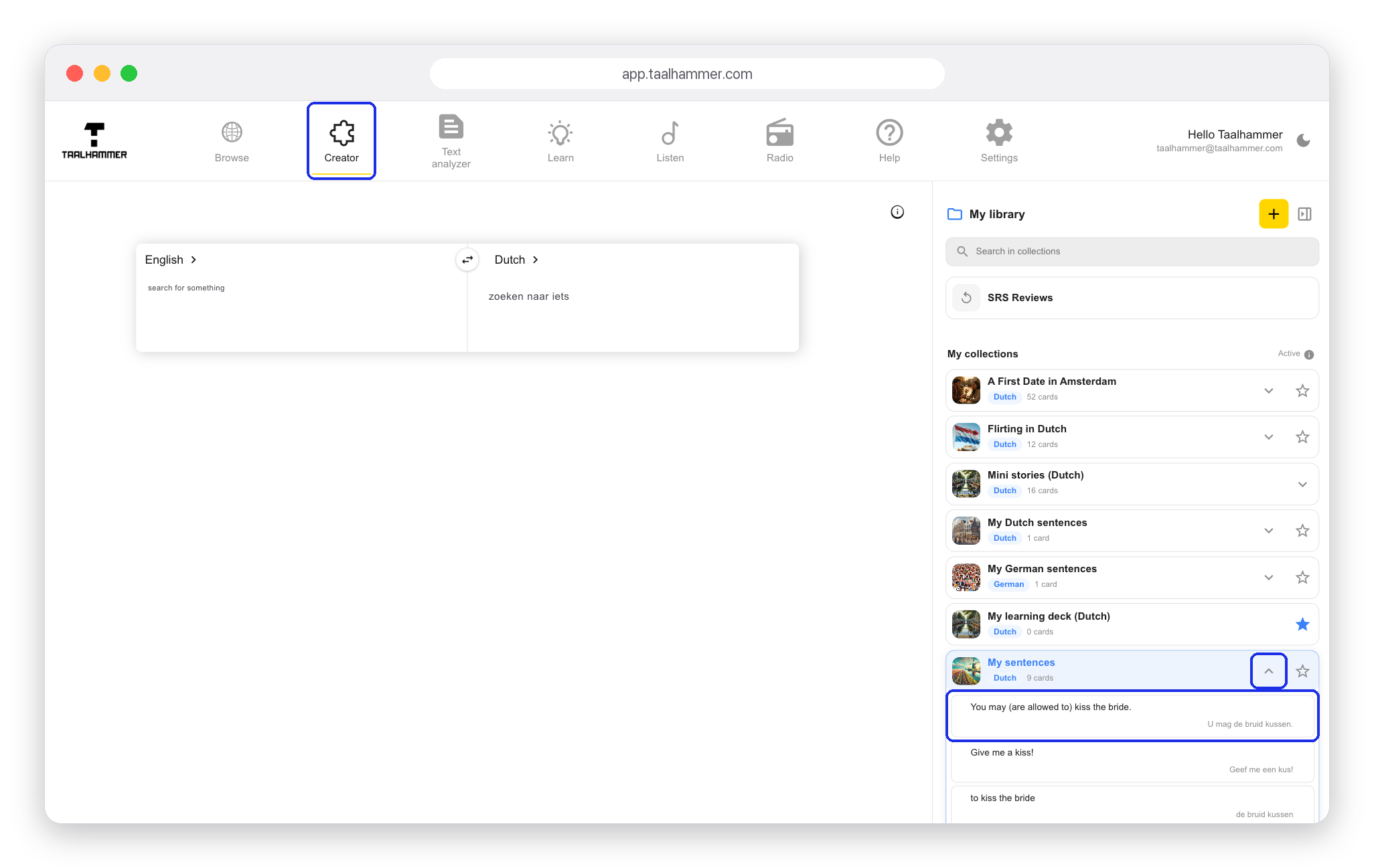
On a computer, go to the Creator, open the collection that holds the flashcard in My library with the arrow next to it, and click the flashcard. On a phone, open the collection in My Library, tap the three dots next to the flashcard and choose Edit.

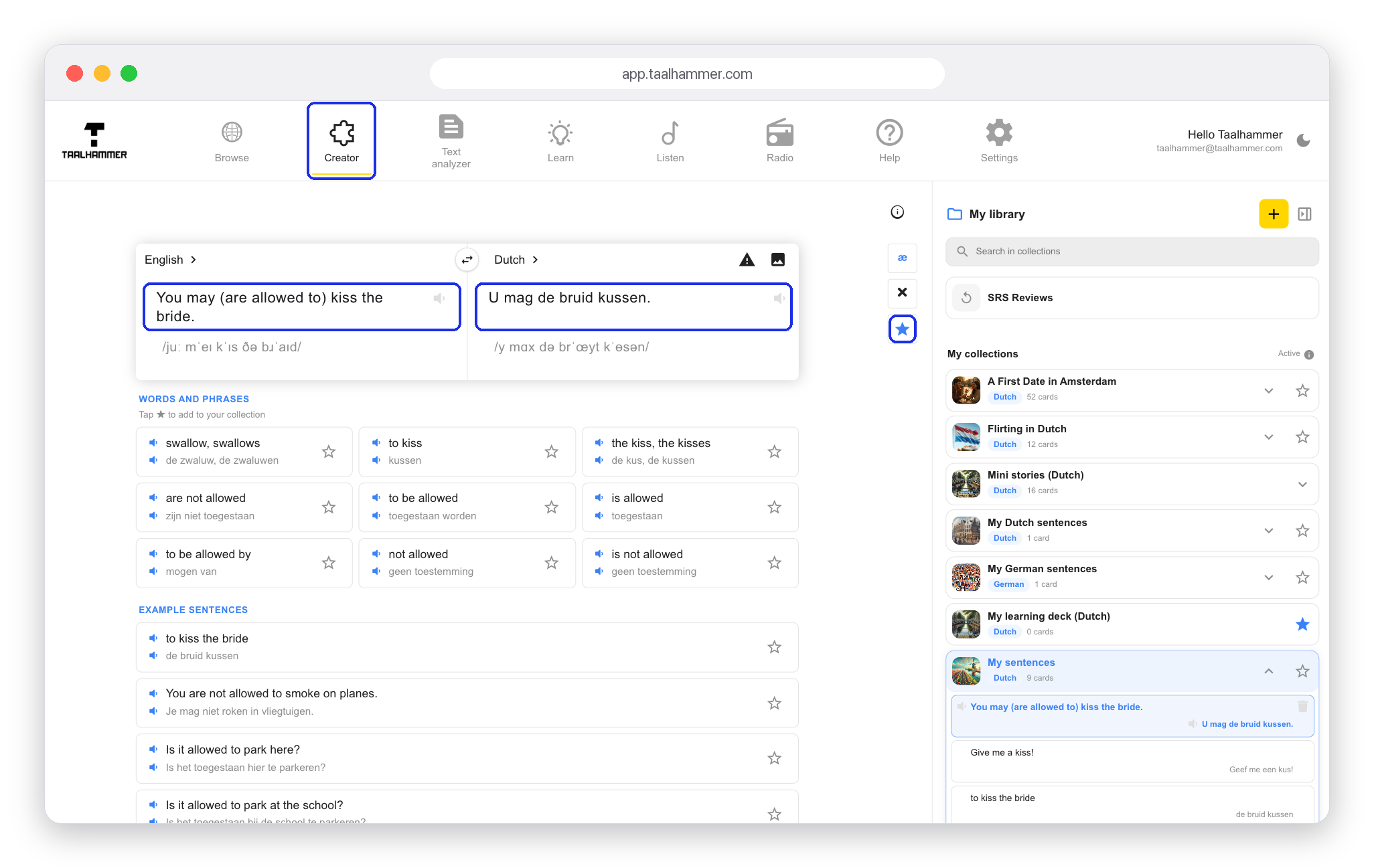
The flashcard opens in the editor, with the source and the target field. Correct whatever is wrong and click the star to save the change. Nothing is saved automatically: if you leave the card without clicking the star, your correction is lost. Once you save, Taalhammer makes new audio and a new phonetic transcription, and the flashcard changes in your collection. From then on you learn it, hear it and repeat it the right way.