1.1
How to learn
Most of us learned at school to read the material again and again until it felt familiar. It feels like work, but it is not what makes words stick. What does is trying to remember: you see a sentence in your own language, try to say it in the one you are learning, and only then check the answer. Each time you pull a word out of memory, it is a little easier to find the next time.
That is how a learning session in Taalhammer works. It is a series of short questions, and you answer each one yourself before you see the answer.
Open Learn. On a computer it is in the top bar. On a phone, open the menu and tap Learn.
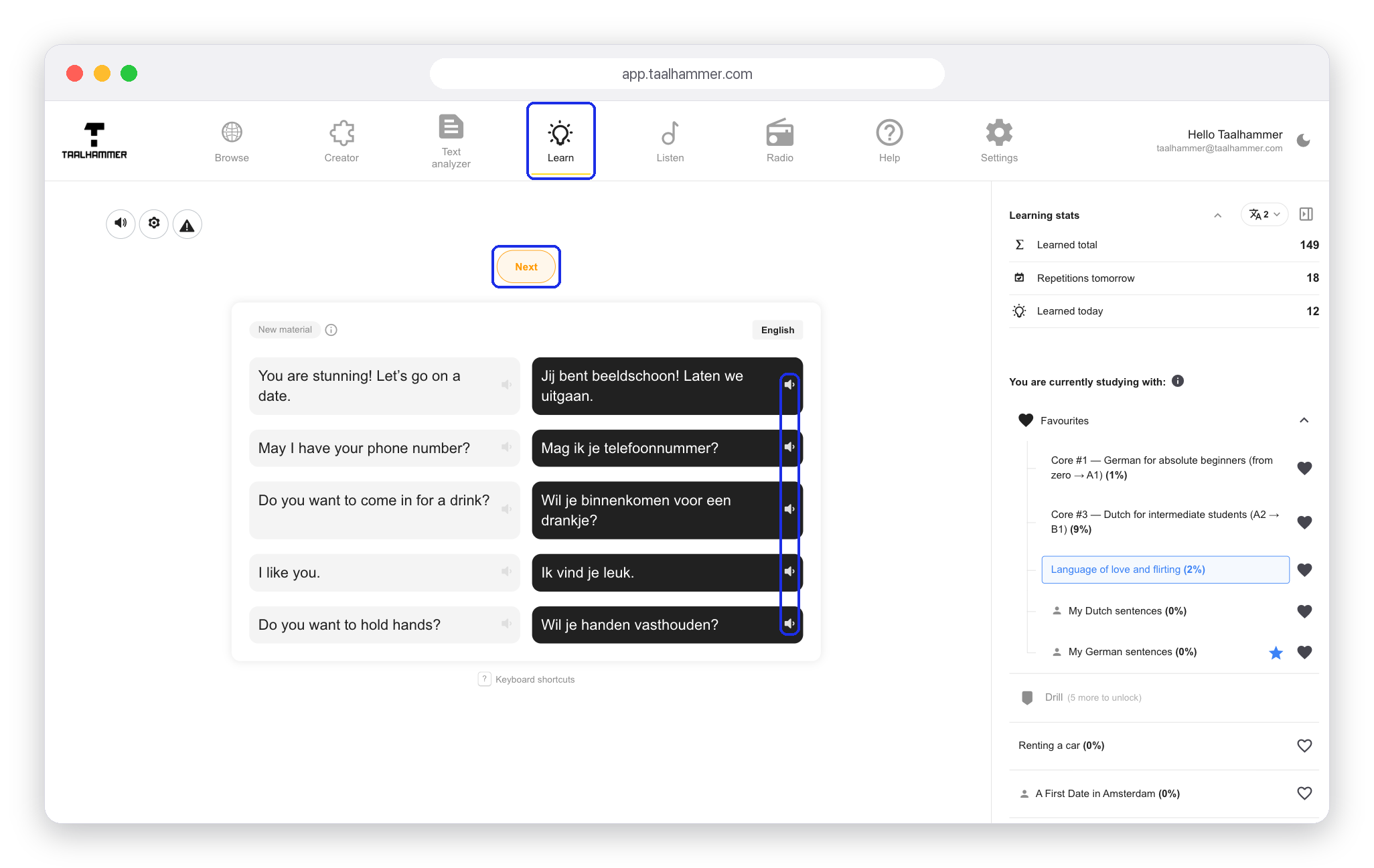
New material arrives on a board of five words or sentences. Read them and tap the speaker icon next to each one to hear it. Then try to say them without looking. When you feel ready, click Next.

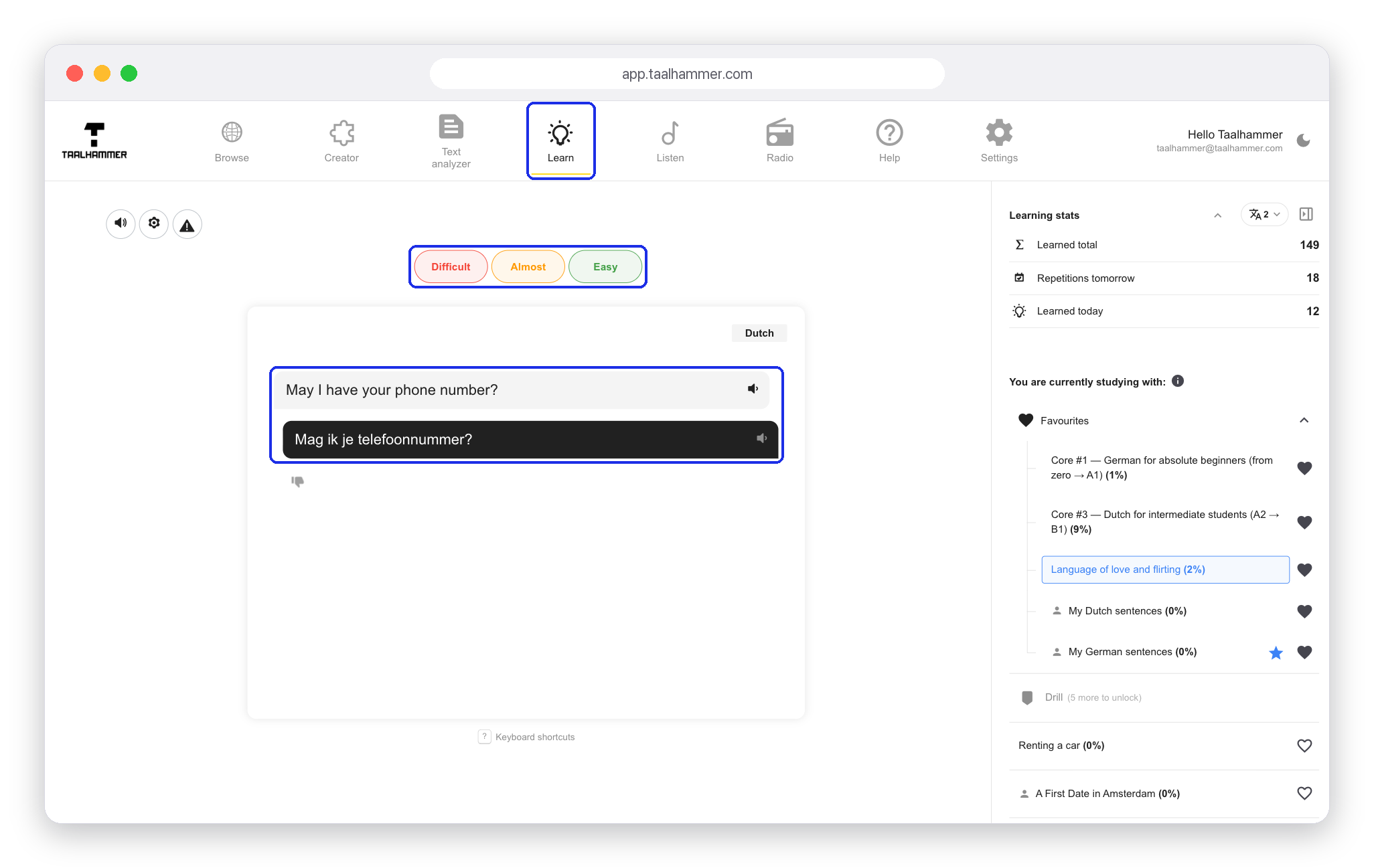
Now Taalhammer checks what stayed with you, one card at a time. You see a sentence in your own language, say English, and you say it in the language you are learning. Out loud is best, but in your head also works. Then click Show answer and compare.
Rate yourself honestly: Difficult, Almost or Easy. Your rating decides when the card comes back. A card you found difficult returns soon; an easy one waits longer. The article "How to evaluate yourself while learning" explains the three ratings in more detail.

Once you have rated a card, Taalhammer shows a few similar sentences that use the same words. If one of them is useful to you, click the star next to it and it becomes part of your learning. Click Next to go on to the next card.

